

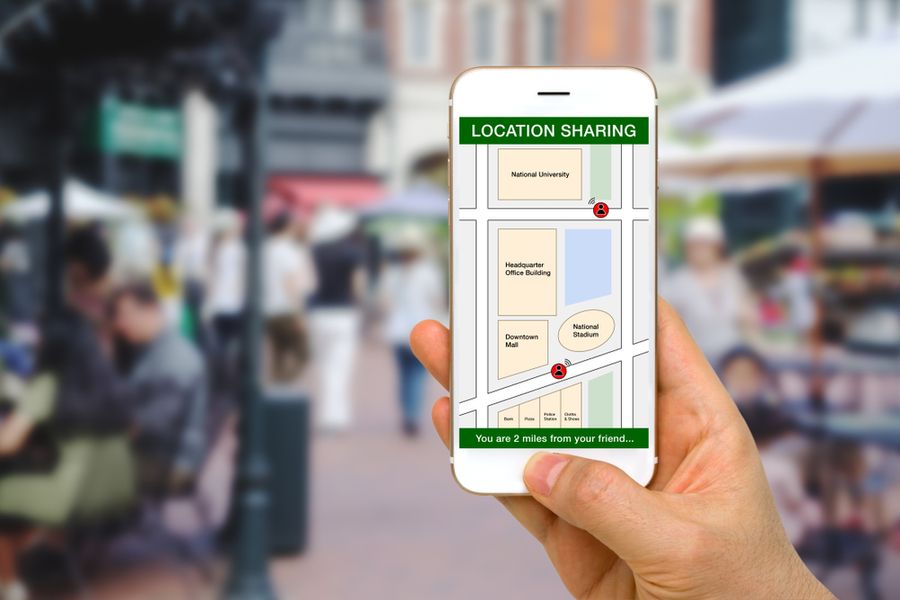
A busy household may have adults commuting, children moving between school and activities, and relatives arriving at different times. Location-sharing apps can reduce repeated texts by showing where someone is, whether a trip is still underway, or when a family member has reached a planned stop. The goal is not constant watching. A useful setup gives each person clear control, keeps sharing limited to trusted people, and supports the routines a household already follows.
Choose the App Around the Household
The right app depends first on the phones used in the family. A household built around Apple devices may already have the tools it needs. A family with both iPhones and Android phones may prefer a separate service or a feature that works across systems.
Consider what type of coordination matters most. Some families want ongoing visibility and arrival alerts. Others only need to share a route during a late drive, airport pickup, or walk home. Parents of younger children may need a tool connected to a supervised account rather than a general map-sharing feature.
Life360 Supports Ongoing Family Coordination
Life360 can show participating family members on a shared map and provide updates when someone arrives at or leaves a regular place, such as home, school, or work. Its SOS alerts can also notify Circle members and emergency contacts when a user needs help.
These features suit households that want one app for routine check-ins. A parent might use a place alert instead of repeatedly asking whether a teenager reached practice. The household should still agree on which places deserve alerts so that useful updates do not become a stream of needless notices.
Apple Find My Fits an Apple Household
Apple Family Sharing allows family members to share their locations through Find My, Messages, and Maps. Participating family members can also help locate an Apple device that has been lost or misplaced.
This built-in approach may be enough when everyone uses compatible Apple products. Ongoing sharing may work for close relatives who coordinate every day, while a direct location update can help with a single pickup or meeting. Each person should regularly review who has access and stop sharing when it is no longer needed.
Google Maps Works Well for Temporary Plans
Google Maps lets users choose who receives their real-time location and how long access lasts. A person can also share trip progress during navigation, including the destination, estimated arrival time, and current location. Trip sharing ends when the destination is reached or navigation stops.
This makes the app useful for practical events rather than full-time household tracking. Someone driving to pick up a child can share progress, or a relative coming to dinner can provide an arrival estimate.
Google Family Link Focuses on Children’s Devices
Family Link can show the location of a child’s Android device or compatible watch after location sharing has been enabled. Parents can turn access to the child’s location on or off, and Location Accuracy can be activated when a more precise device location is needed.
This option is built around a supervised child account rather than equal sharing among adults. It may help a parent check whether a child’s device is at school, home, or another expected place. Families should explain the feature in age-appropriate terms so children understand what information is being shared and why.
Set Household Rules Before Sharing
Location sharing works better when everyone knows the limits. Decide who belongs in the group, whether access will be ongoing or temporary, and which situations justify checking the map. Adults and older children should know how to pause or stop access instead of feeling that sharing is permanent.
Families should also avoid treating a location marker as a full explanation of someone’s actions. When a person appears to be delayed or in an unexpected place, a direct call or message can confirm what happened. The app should support communication rather than replace it.
Discuss how the household will respond when someone turns sharing off. A dead phone, changed permission, or personal need for privacy should not automatically cause an argument. Clear expectations can help family members distinguish a missed update from a real reason for concern.
Avoid Using Location Sharing as Surveillance
Location access should solve a clear problem, such as coordinating pickups or confirming that someone arrived safely. Checking the map throughout the day without a practical reason can make the system feel intrusive, especially for teenagers and other adults in the household.
Parents can set different rules based on age and responsibility. A younger child carrying a supervised device may need closer oversight, while an older teenager may only share during drives or evening trips. Revisiting the rules as children mature keeps the arrangement from becoming fixed long after it stops fitting the family.
A Better Way to Stay in Step
The best location-sharing app is the one that solves a real household problem without creating new tension. Life360 offers place and help alerts. Apple Find My provides a built-in choice for Apple households, while Google Maps handles temporary trips across common devices. Family Link gives parents a child-focused option for supported devices.
Start with the least amount of sharing needed. Test the setup during a normal school run, commute, or pickup, then adjust alerts and permissions together. Clear rules and limited access can make location sharing useful without turning it into constant checking.